Deepfakes Can Blink Now. Your Liveness Check Needs a New Job
By Uyo 6 min read
There’s an app I gave up on.
It asked me to prove I was a real, live person. I did what it asked. It said no. I tried again, and again. I still haven’t gotten past that screen, and without it the app won’t let me do anything else. So I stopped.
I work on identity verification for a living. I know what that check is looking for. It still wouldn’t let me in.
Not long after, we launched deepfake detection, and it caught some agents doing the opposite. They had taken a real person’s details from Nigeria’s National Identification Number (NIN) record, photo included, and used an AI model to generate an image and a video of that person. That wasn’t a mask or a printed photo. It was a face that had never been in front of a camera.This was in September, 2026, in Nigeria. The deepfake detection layer flagged the video as AI-generated before it reached approval.
So the real me couldn’t get through. A face made by software was trying, and it took a system built specifically to catch that to stop it.
That’s digital onboarding right now, in two scenes.
Deepfake detection in digital onboarding now has to work without asking more of real users. Generated faces can blink, turn and follow prompts, so extra liveness challenges add effort for genuine customers while doing less to stop fakes. The stronger approach moves the proof onto the system: passive liveness, deepfake detection and camera integrity checks running in the background, clear feedback when a capture fails, a fallback path, step-up checks for high-risk actions, and verification of the agent as well as the customer.
Why liveness challenges no longer stop deepfakes
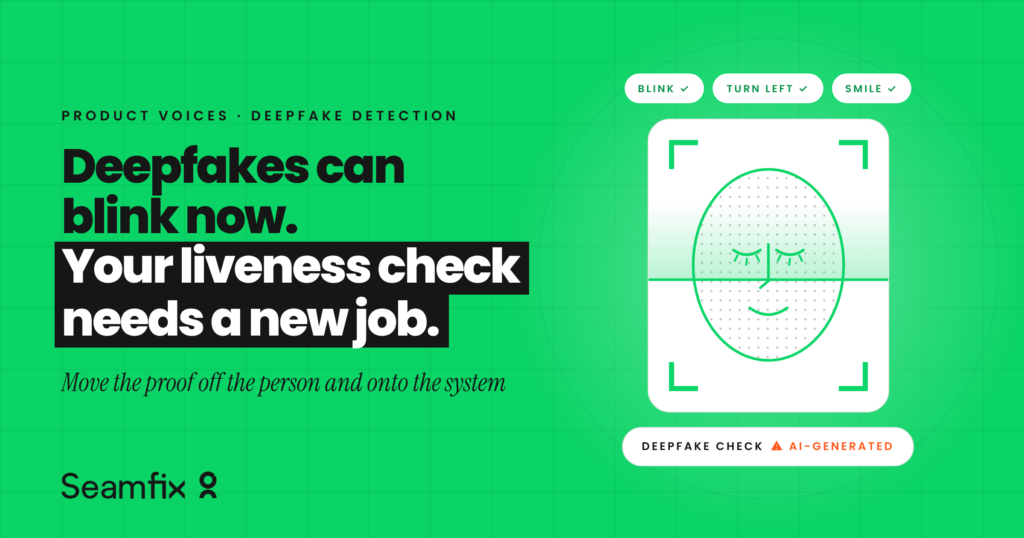
For years, the answer to fake faces was to ask real people to do more. Blink. Turn left. Smile. Follow the dot. The thinking made sense. A printed photo can’t blink, and a pre-recorded video can’t follow an instruction it didn’t know was coming.
That logic doesn’t hold the way it used to. A generated face can blink. Some tools can now swap a face in live video and respond to instructions as they’re given. So every challenge we add still costs honest people effort, and buys less against the fakes it was designed to stop. In July 2025, OpenAI’s Sam Altman told a US Federal Reserve conference that AI had “fully defeated” most of the ways people authenticate, and said “take a selfie and wave” checks were just as exposed.
Source: https://www.axios.com/2025/07/22/openai-chatgpt-sam-altman-ai-fraud
https://www.smartcompany.com.au/artificial-intelligence/sam-altman-ai-voice-authentication-fear
That’s the trap. When fakes get better, the instinct is to make the front door harder. But the people who struggle with a harder door are mostly the real ones. We’ve turned verification into an audition, and a good model can rehearse.
In the era of deepfakes, the work of proving someone is real has to move off the person and onto the system. Good verification should work like VAR (Video Assistant Referee) in football: the checks happen in the background, and the game keeps flowing.
Move the proof off the person
Most of the checks that catch a deepfake don’t need the user to do anything. Did the video come from the phone’s own camera? Does the face carry the traces generation models leave behind? Do skin, light and movement behave like a real face in a real room? Together, these checks, known as injection attack detection, deepfake detection and passive liveness, can run in the background on the same few seconds of video. The user holds the phone and looks at it. That’s the whole job.
Challenges don’t have to disappear. A simple prompt still stops lazy replays. But it should be the light part of the check, not the wall. If your liveness step needs a tutorial, the wall is in the wrong place.
Tell people why they failed
When that app rejected me, it never said why. Was it the light? My glasses? The angle? I had no idea, so I kept doing the same thing and getting the same answer.
The catch: you can’t tell a fraudster which signal caught them. But you can tell a real person what’s wrong with the capture: too dark, too far, something covering the face. Feedback about quality helps honest people and gives attackers almost nothing. Feedback about fraud signals does the opposite. Good onboarding knows the difference.
Never leave a dead end
Without passing liveness, I couldn’t do anything else. There was no call with a person, no branch option, no other way in. So I left. Every flow needs a second path for the people the camera can’t read, whether that’s bad light, an old phone, a disability, or a face the model simply handles poorly. That path can be slower and more careful. It just has to exist.
Somewhere, I’m probably a line on a dashboard: one user, dropped off at liveness. If that team only measures fraud stopped, my exit looks like a win. Track abandonment at the verification step as closely as you track fraud. Both are losses. Usually only one gets reported.
Spend friction where risk lives
Not every action carries the same risk. Opening a basic account with low limits isn’t the same as moving a number to a new SIM or adding a new device to a high-value account. Don’t spend your heaviest check at the very first step, when the customer has the least reason to stay. Keep the first step light, and step the checks up when someone tries to do something that would really hurt them if it weren’t them. Airports worked this out years ago: trusted travellers walk through fast-track lanes, and the deep search is saved for the bags that set off alarms.
Verify the agent, not just the face
The deepfakes we caught weren’t made by customers. They were made by the people trusted to run onboarding for everyone else. If your design assumes the person holding the phone is the customer, or at least on the customer’s side, that assumption is a gap. Verify the operator, the device and the session, not just the face on the screen.
If you are a film enthusiast, you must have seen it many times in Mission: Impossible, James Bond, Ocean’s Eleven or Money Heist: someone pretends to be the person who belongs inside, wearing their face or their uniform, and security waves them straight through. Agent-made deepfakes are that scene in real life, except the mask is made by software and the person holding it already works on the inside.
| Principle | What to change | What to measure |
| Move the proof off the person | Run passive liveness and injection attack detection in the background; keep active prompts light | Share of deepfakes caught by passive signals; time to complete the liveness step |
| Tell people why they failed | Give clear capture-quality feedback (too dark, too far, face covered); never reveal fraud signals | Pass rate on retry after a failed capture |
| Never leave a dead end | Offer an assisted or branch path | Abandonment at the liveness step |
| Spend friction where risk lives | Keep the first step light; step up checks for SIM swaps, new devices and high-value actions | Onboarding completion rate; fraud rate on high-risk actions |
| Verify the agent, not just the face | Verify the operator, device and session on every agent-assisted enrolment | Fraud attempts traced to agent accounts or devices |
The test for any onboarding flow
Here’s the test I’d run on any onboarding flow today. Put a real person and a good deepfake through it. If the real person has a harder time, the design is backwards.
The best onboarding in this era won’t feel tougher. It will feel easier for the people it’s meant for, because the hard work is happening where they can’t see it.
I’d still like to use that app.